HubSpot integration
Revenue forecasting and pipeline analytics for HubSpot.
Connect HubSpot and Pipemetry turns your deals into a forecast you can explain: point-in-time pipeline history, transparent forecast models, accuracy tracking, and risk alerts — built for SMB and lower-mid-market RevOps teams, with same-day self-serve setup.
How the HubSpot connection works
- 1
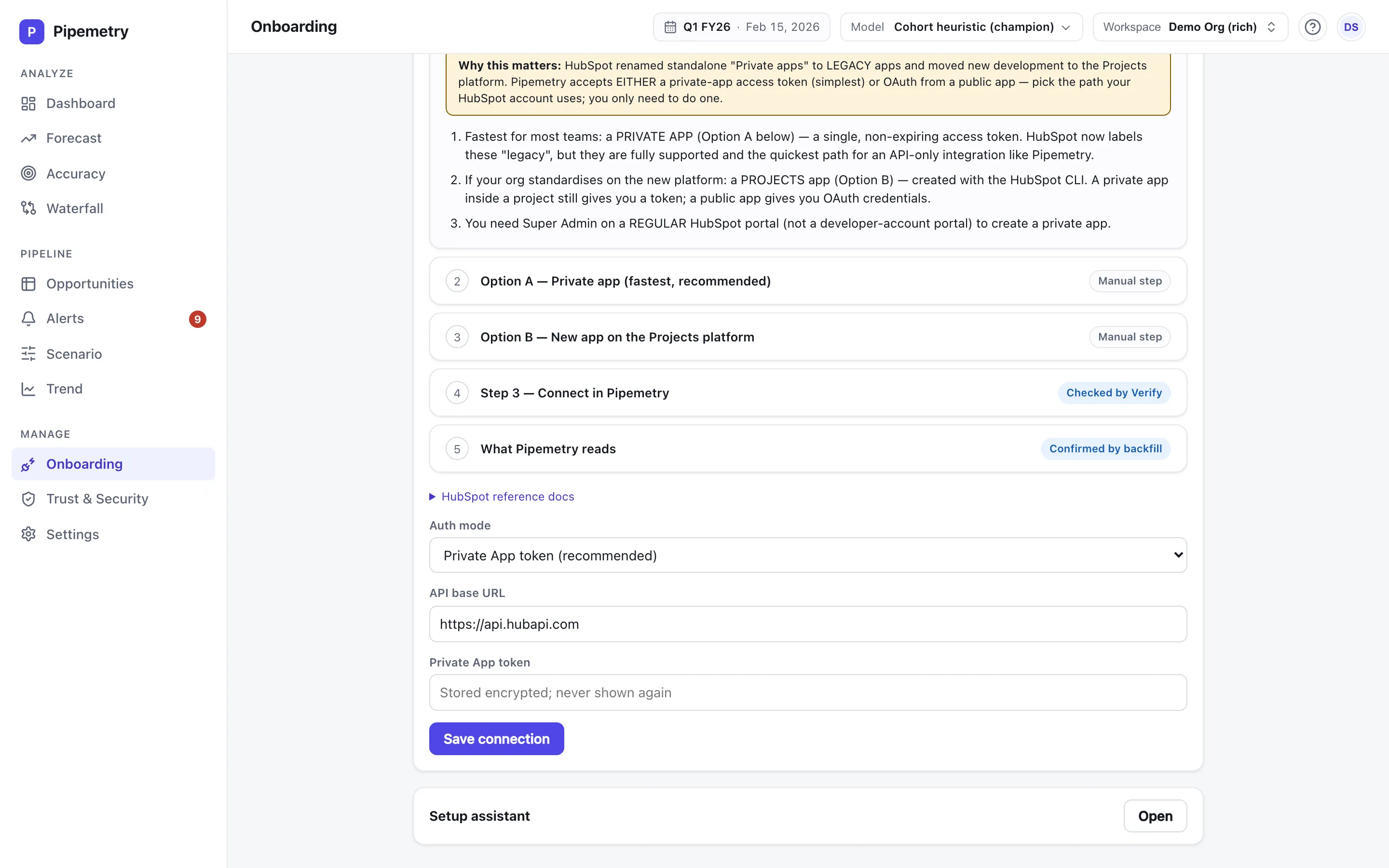
Connect HubSpot
Authorize Pipemetry with a HubSpot private app access token or OAuth. It needs read-only access to your deals — Pipemetry never writes back to HubSpot.
- 2
Map your fields
Tell Pipemetry which HubSpot properties are your amount, deal stage, and close date — once. Self-serve, no implementation project.
- 3
Forecast the same day
Pipemetry backfills your recent deal history on connect, so you get a working forecast, waterfall, and accuracy view the same day.
How the sync stays current
Pipemetry keeps your HubSpot pipeline current with a scheduled incremental change-sync: it searches for deals modified since the last run, reads just their property history via HubSpot’s CRM deals API, appends the changes to your event log, and advances a watermark. You get an up-to-date forecast without a heavy full re-pull of your portal on every cycle. Webhook-based live sync — HubSpot’s Webhooks API — is on the roadmap. If you’re on Salesforce and want a live feed, Pipemetry supports near-real-time change-data-capture there.
What you get on top of HubSpot
-
Rewind your HubSpot pipeline to any past day
Pipemetry builds an event log from your deals’ property history, so it can reconstruct exactly what your HubSpot pipeline looked like on any historical date — not just today’s snapshot. See what slipped, what pulled in, and what changed since last week.
-
A forecast you can actually inspect
No black box. Swap between four transparent models with the model selector on Pro — a cohort heuristic, a stage-weighted pipeline, an ML deal score, and an ensemble that blends them — see the inputs and assumptions behind every number, and on Pro read a p10–p90 confidence band around the projection.
-
Waterfall, accuracy & scenarios
Read the waterfall of what moved your number, track forecast accuracy per owner (MAPE, bias, compliance), and run scenarios — all on top of your HubSpot data.
-
Risk alerts where you work
Get an email alert (Slack on Pro) when a deal slips or coverage drops below plan — so risk surfaces before the QBR, not after. HubSpot exposes no deal-level activity date, so the stalled-deal rule is Salesforce-only. The single-threaded-deal rule does run on HubSpot, and on Salesforce, Pipedrive and Zoho: Pipemetry counts the contacts associated with each deal and keeps only that number — never a contact name, email or title.
Your HubSpot data, protected
Pipemetry connects to your CRM, so it treats your data with care: tenant isolation with row-level security, encryption in transit (with credentials and backups encrypted at rest), and a WORM access audit. SOC 2 is in progress. Read how Pipemetry secures your data.
HubSpot integration FAQ
What HubSpot permissions does Pipemetry need?
Read-only access to your deals (and their property history) via HubSpot's CRM deals API, granted via a HubSpot private app access token or OAuth, plus the contacts read scope (crm.objects.contacts.read) so Pipemetry can count the contacts associated with each deal — it keeps only that number, never a contact's name, email or title. Without that scope the deal data still syncs, but the single-threaded-deal alert cannot run. Pipemetry only reads — it never writes back to HubSpot — and stored credentials are encrypted at rest.
How often does Pipemetry sync from HubSpot?
Pipemetry runs a scheduled incremental change-sync: it searches for deals modified since the last run, reads just their history, and advances a watermark — so your pipeline stays current without re-pulling your whole portal every time.
Is the HubSpot sync real-time?
No. Pipemetry keeps HubSpot current with a scheduled incremental change-sync rather than a live feed (webhook-based live sync, via HubSpot's Webhooks API, is on the roadmap). Near-real-time change-data-capture sync is available on the Salesforce connector.
Can I see my HubSpot pipeline as it was in the past?
Yes. Pipemetry reconstructs pipeline state from an event log of your deals’ property history, so you can rewind to any past day since your recorded history begins — last Monday, last quarter-end. Days before that are rebuilt from today’s field values rather than what was recorded at the time.
Is my HubSpot data secure?
Pipemetry enforces tenant isolation at the database layer with row-level security, encrypts data in transit, encrypts your credentials and backups at rest, and keeps a WORM (write-once) access audit. SOC 2 is in progress. See the security page for detail.
How much does it cost?
Starter is $29 per seat / month (up to 10 seats) and Pro is $59 per seat / month (up to 25 seats); Enterprise pricing is custom and sales-led. You can start free.
See it on your own HubSpot pipeline.
Connect HubSpot and get a transparent forecast the same day — free to start.
Weighing a HubSpot-only forecasting tool? Read Pipemetry vs Forecastio.